Why AutoCAD Drawing Services Are Essential for Modern Projects?
How accurate CAD drawings improve communication, coordination, revisions, and the transition from architectural ideas to real construction.

A building can start with something incredibly simple.
Sometimes it is a rough sketch on a piece of paper. Sometimes it begins with a conversation between a client and a designer. Other times, it starts with a photograph, an inspiration project, or simply an empty site and an idea of what could be built there.
But an idea alone cannot become a building.
Before construction begins, that idea needs to be translated into something that architects, engineers, contractors, and clients can all understand.
This is where technical drawings become important.
A good architectural drawing does much more than show the shape of a building. It communicates dimensions, proportions, openings, levels, materials, spatial relationships, and design intent.
And although architectural technology has changed dramatically, AutoCAD remains an important part of the workflow for many architects, designers, engineers, and construction professionals.
A Pretty Picture Isn't Enough
One of the easiest mistakes in architectural design is confusing visualization with documentation.
A 3D render can show a client what a building might look like.
It can communicate atmosphere, materials, lighting, furniture, landscaping, and the overall character of a project.
But a beautiful render doesn't necessarily tell a contractor everything they need to know.
They need to know where a wall goes.
How wide an opening should be.
Where a door is positioned.
What the dimensions are.
How different elements connect.
What happens at a particular level or section.
That information comes from technical drawings.
This is why I think drawings and visualizations are two different parts of the same conversation.
One helps you imagine the space.
The other helps you understand how the space can be built.
Both are valuable, but they answer different questions.
What Makes a Technical Drawing Useful?
A technical drawing isn't useful simply because it contains hundreds of lines.
In fact, adding too much information can sometimes make a drawing harder to understand.
A good drawing communicates information clearly and efficiently.
Line weights should help distinguish different elements.
Dimensions should be easy to find and read.
Text should be positioned carefully.
Symbols should be consistent.
Layers should be organized logically.
Different drawings should follow a clear system.
These details may seem minor when looking at a finished drawing, but they become extremely important when several people are working from the same information.
An architect may be reviewing the design.
An engineer may be coordinating structural or mechanical elements.
A contractor may be using the drawings on site.
A client may be checking whether the proposed layout matches what was discussed.
The drawing becomes a shared language between everyone involved in the project.
Why 2D Drawings Still Matter in a 3D World
It is tempting to think that 3D modeling has made traditional 2D drawings less important.
I don't think that's the case.
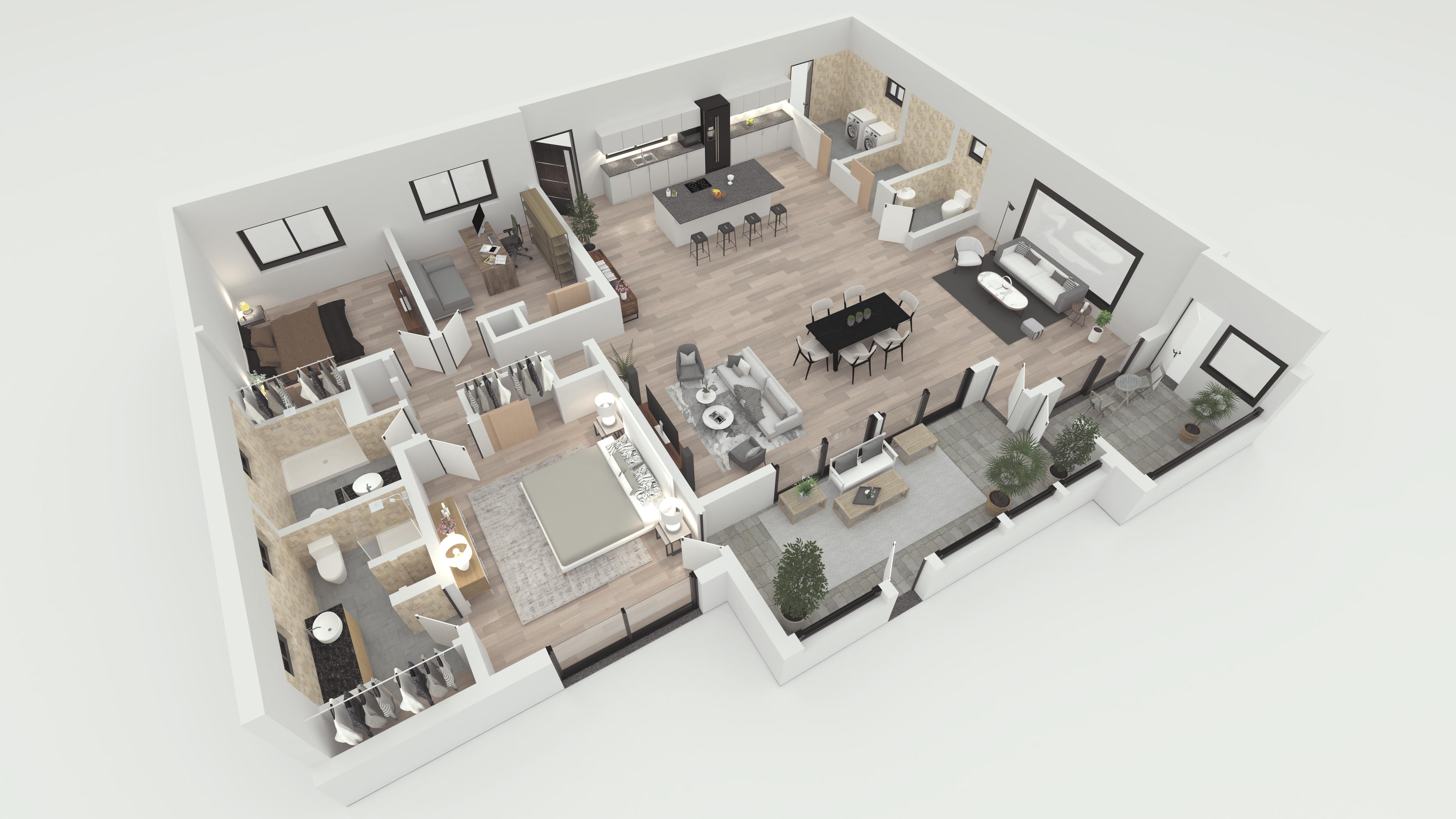
A 3D model is excellent for understanding volume, form, materials, and spatial experience.
A floor plan is excellent for understanding relationships and dimensions.
An elevation explains how a building appears from a particular direction.
A section reveals what is happening vertically through the building.
Each representation answers a different question.
You might understand a room perfectly in 3D and then notice a circulation problem when looking at the floor plan.
Or you might understand the floor plan but discover that the exterior proportions don't feel right when you study the elevation.
Moving between these different views is an important part of the design process.
The 2D drawing doesn't compete with the 3D model.
They work together.
If you're interested in architectural planning, drafting, and visualization, you can explore my architectural design services
The Hidden Value of Organized Layers
If you've ever opened a complicated CAD file, you probably know how quickly a drawing can become confusing.
Walls, dimensions, furniture, doors, windows, annotations, structural information, electrical elements, and other details can all exist within the same project.
Without proper organization, finding one specific element can become unnecessarily difficult.
This is where layer management becomes more than just a technical preference.
A well-organized CAD file makes it easier to:
isolate specific information
hide unnecessary elements
make revisions
coordinate drawings
maintain consistency
reuse drawing standards
identify mistakes more easily
Good organization saves time.
More importantly, it makes collaboration easier.
When another designer opens the file, they shouldn't have to spend hours trying to understand how the drawing was structured.
A clean file is easier to work with today and much easier to revisit months later.
Revisions Are Part of the Process
Architecture rarely moves from the first drawing to final construction without changes.
A client changes a requirement.
A bedroom becomes larger.
A window moves.
A structural constraint appears.
A local requirement affects the layout.
A material becomes unavailable.
The budget changes.
The design evolves.
This is completely normal.
In fact, revisions are often part of good design.
The important question is how those changes are managed.
A properly prepared CAD workflow makes revisions easier to apply without turning every change into a completely new drawing.
When drawings are organized properly, designers can make changes while keeping the rest of the project under control.
This becomes especially valuable on larger projects where one small change can affect multiple drawings.
Accuracy Matters, But Clarity Matters Too
When people talk about CAD drawings, they often focus on accuracy.
Obviously, dimensions and geometry need to be correct.
But accuracy alone doesn't make a drawing good.
Imagine a technically accurate drawing where dimensions overlap, notes are difficult to read, layers are poorly organized, and important information is buried among unnecessary details.
It may be accurate.
But it isn't particularly useful.
A strong technical drawing combines accuracy with communication.
Someone else should be able to open the file and understand what they are looking at without needing the original designer standing beside them.
That is a much higher standard than simply producing lines on a screen.
From Sketch to Construction Information
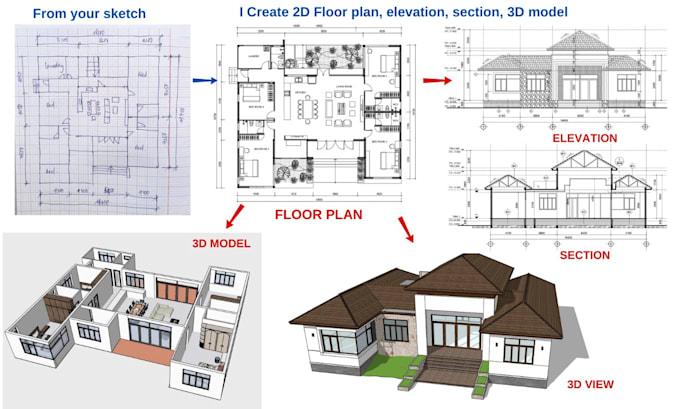
One of the most interesting things about CAD work is the transformation that happens between an early idea and a technical drawing.
At the beginning, a designer might have nothing more than a rough concept.
Then the concept becomes a floor plan.
The floor plan develops dimensions.
Rooms are adjusted.
Openings are positioned.
Circulation is studied.
Furniture is considered.
Elevations are developed.
Sections reveal relationships that weren't obvious in the plan.
Eventually, the project becomes a coordinated collection of drawings that other people can understand and use.
The software is important, but the thinking behind those drawings is even more important.
CAD doesn't replace design thinking.
It gives designers a precise environment in which that thinking can be developed.
Where AutoCAD Fits Into a Modern Workflow
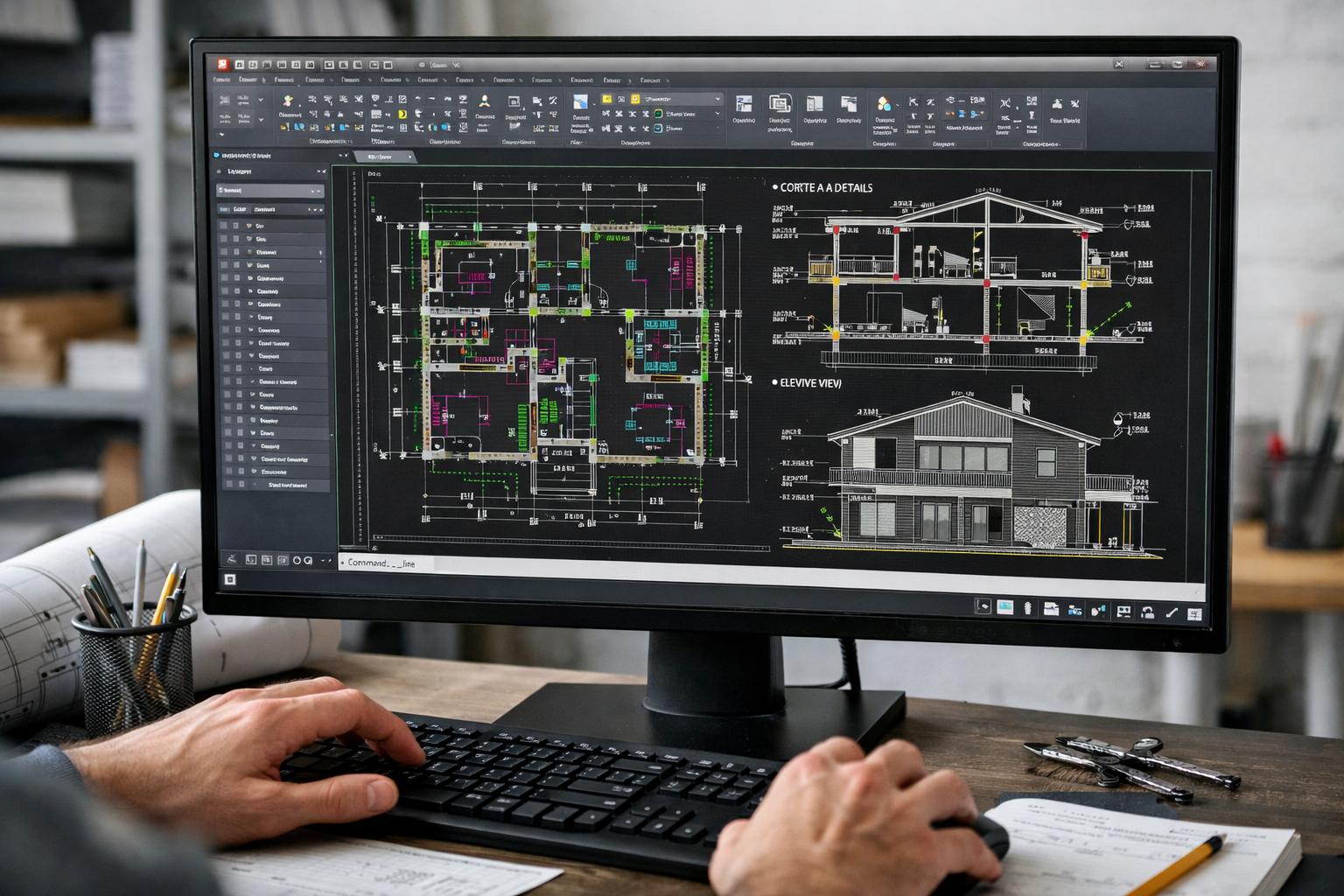
Modern architectural workflows often involve several different tools rather than one program doing everything.
A project might move between CAD drafting, 3D modeling, rendering, visualization, documentation, spreadsheets, project management platforms, and other digital systems.
That doesn't make technical drawings less important.
It makes consistency even more important.
Information needs to move between different stages without becoming confusing or inaccurate.
A clean CAD drawing can become part of a much larger digital workflow rather than an isolated file sitting on someone's computer.
For designers and firms, this can improve coordination and make collaboration much easier.
When Outsourcing Drawing Work Makes Sense
Not every project requires the same amount of drafting.
Sometimes a designer already has the concept but needs help turning sketches into clean CAD drawings.
Sometimes an existing drawing needs to be redrawn.
Sometimes old paper plans need to be converted into editable digital files.
Other times, a project simply has too much documentation work for one person to handle efficiently.
In these situations, outsourcing CAD drafting can make sense.
But the important thing isn't simply finding someone who knows how to use AutoCAD.
The person handling the drawings should understand what the information means, how architectural drawings are structured, and how the final files will actually be used.
There is a difference between knowing the software and understanding the drawing.
That difference matters.
If you are looking for architectural drafting, floor plans, or CAD-based design support, you can explore my architectural design portfolio.
The Drawing Is Part of the Communication
I used to think of architectural drawings mainly as technical outputs.
The more I work with them, the more I see them as communication tools.
A drawing connects different people who may never interpret a design in exactly the same way.
The client sees an idea.
The architect develops it.
The engineer coordinates it.
The contractor builds it.
The drawing helps everyone work from the same information.
When communication is clear, mistakes can be identified earlier, revisions can be managed more efficiently, and everyone has a better understanding of what is being proposed.
That's probably the most important reason technical drawings continue to matter.
Technology Is Changing, But the Fundamentals Remain
Architectural technology continues to move quickly.
We now have advanced rendering engines, cloud collaboration, BIM platforms, AI-assisted design tools, parametric modeling, and increasingly powerful visualization software.
The tools will continue to change.
But the fundamental need for clear communication will remain.
A project still needs understandable information.
A designer still needs to test ideas.
A contractor still needs reliable drawings.
A client still needs to understand what they are approving.
Technology can make these processes faster, but it doesn't eliminate the need for careful thinking.
Final Thought
A successful architectural project isn't created by software alone.
It begins with an idea and develops through decisions, drawings, revisions, coordination, and communication.
AutoCAD is one tool within that larger process.
The real value isn't simply the software itself.
It is what a well-prepared drawing allows people to understand, coordinate, revise, communicate, and eventually build.
And sometimes, the most important part of a project is still a drawing that looks simple enough to understand at a glance.
Because behind those simple lines is something much bigger:
an idea that is being prepared to become reality.

Comments
No comments yet. Be the first to comment!